New: Digital access is now a fixed subscription period per publication
ZealArts workshops are run by arts professionals and cater for students and/or teachers.



Find tailored resources, books, and workshops designed specifically for your role.



Quick answers to help you register, redeem access codes, and view your digital books.
To access digital products you need to register as a ‘Student’ or ‘Customer’ with www.zealarts.com.au.
Digital books are accessible via an access code linked to your account.
You will receive an access code either via:
If you purchase a book online via www.zealarts.com.au your product will automatically be linked to you once the order is completed. As a result, you will not need to enter an access code.
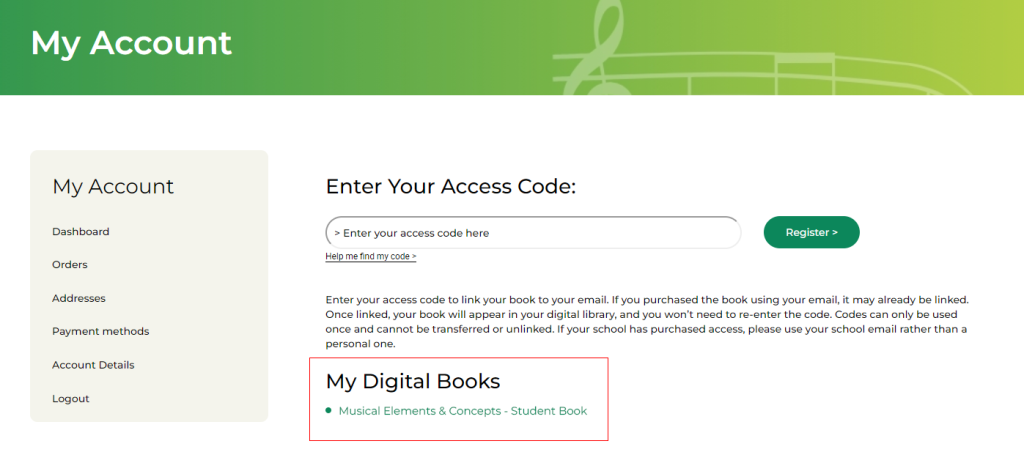
The links to your digital products are visible in the left navigation panel once you log into www.zealarts.com.au
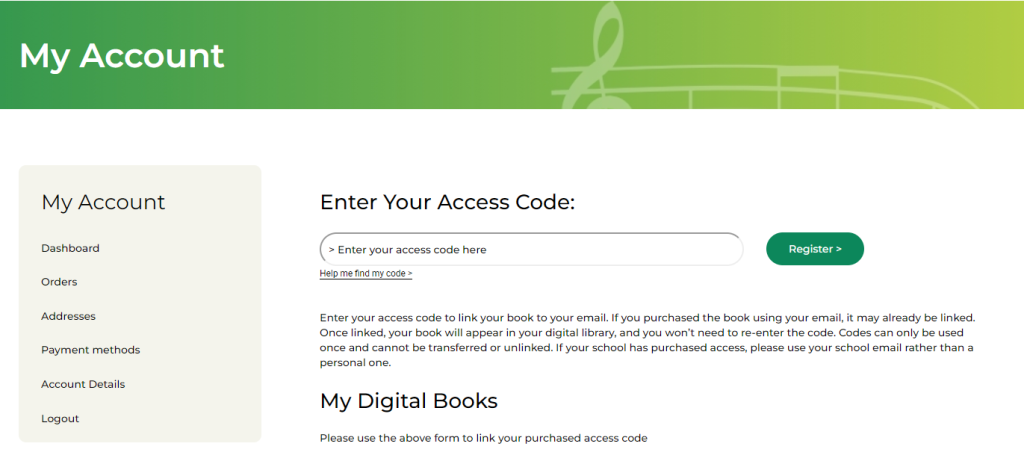
Enter an access code into the field and hit ‘Submit’. Please note there may be a slight delay once you successfully link an access code to your account. Just hit the ‘dashboard’ link in the left menu and you should see the book link in the bottom left.
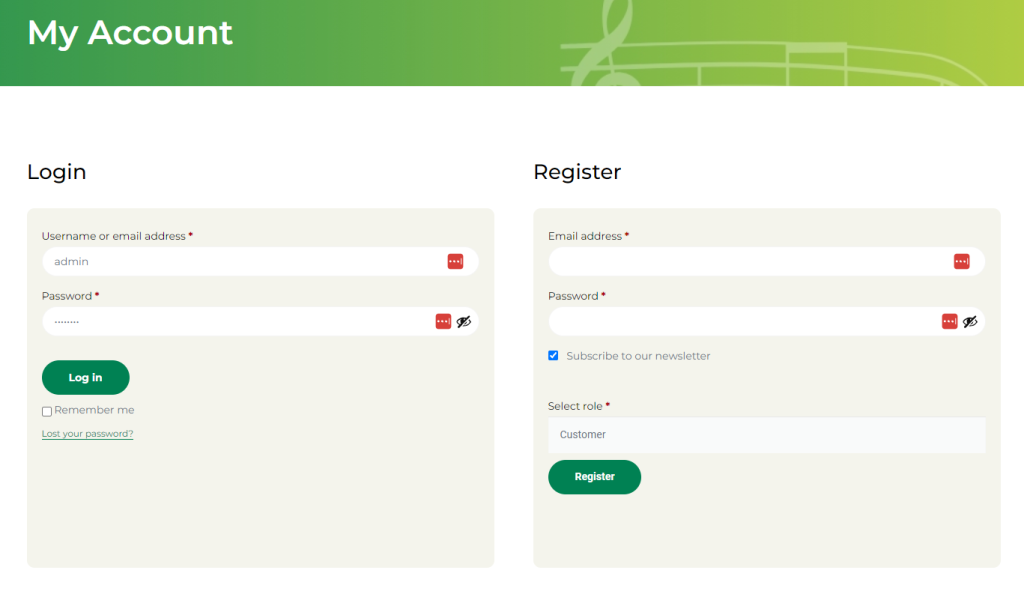
Registering with ZealArts is simple. Go to www.zealarts.com.au and click on ‘Login/Register’ in the top right of the screen. You will be presented with a login section on the left and register section on the right.
Fill in the registration details, select your account type and click the ‘Register’ button.
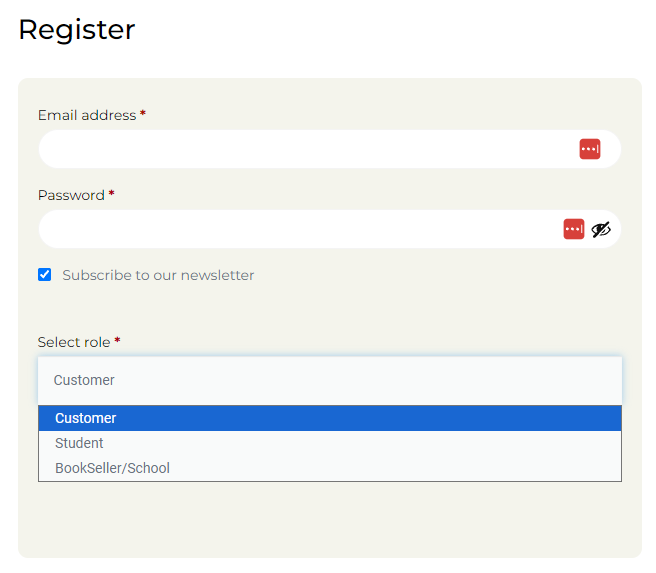
Roles within the Zealarts store indicate the type of member you are. There are 2 main types that perform different functions.
Select “Student” or “Customer” if you wish to purchase or view digital products. This account allows one (1) type of book to be linked and visible. You can purchase single copies all the different books if you wish and they will be linked to your account automatically.
Select “Bookseller/School” if you wish to purchase MORE THAN one (1) or the same book to pass on to others either as a teacher or bookstore.
This account type will allow an overview of the orders and the access codes belonging to each book. Once an access code is used then this list will show who has been linked to the access code.
NOTE: Booksellers/School do not have access to view digital products.